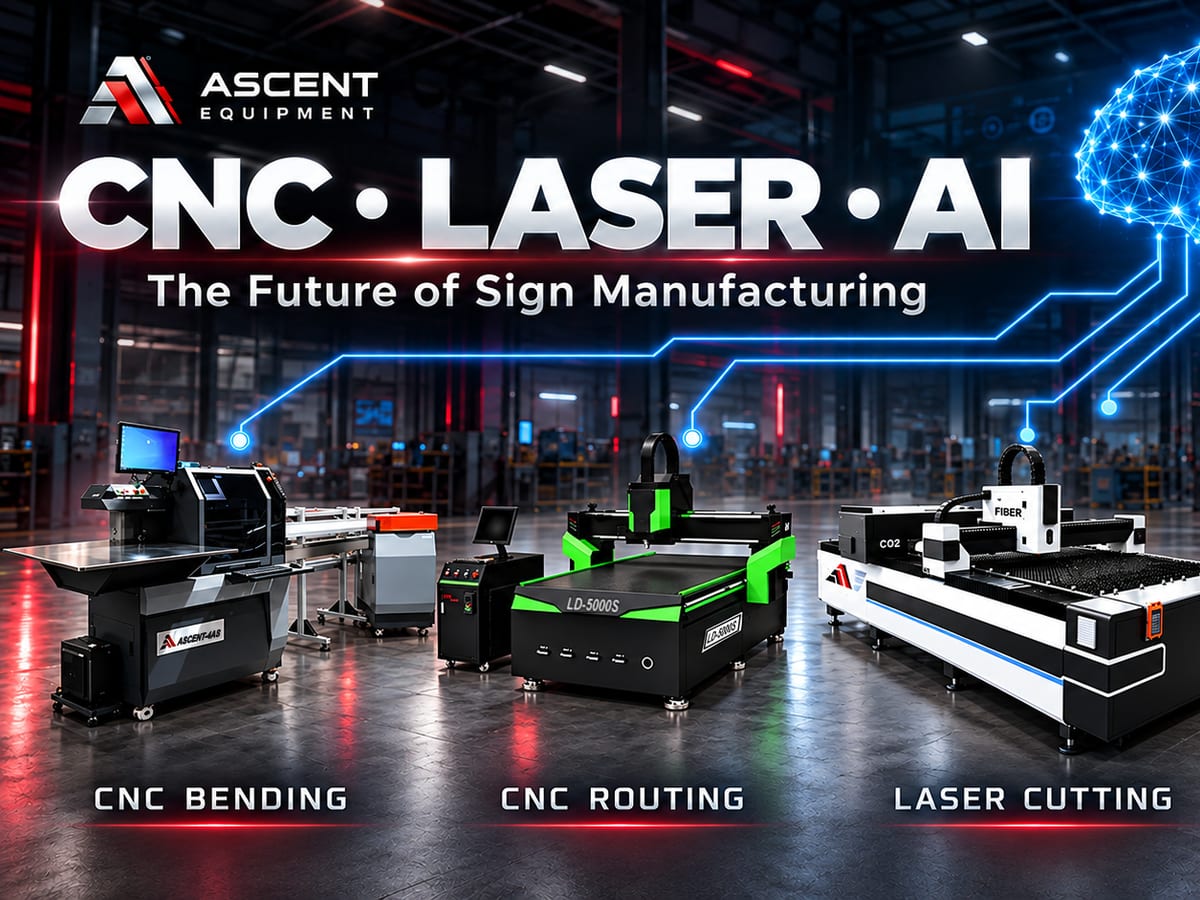

In the early days of industrial laser equipment, only large, well-established companies could afford it.
However, in recent years, decreasing prices have made laser equipment accessible to medium-sized and even small companies.
When it comes to laser equipment for the sign industry, we are experts!
Laser Welders:
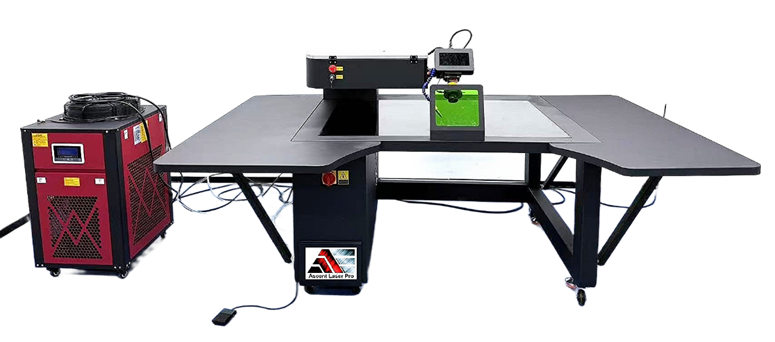
Traditional welding techniques, such as MIG, TIG, and arc welding, have long been the dominant methods in the industry. While effective, these methods often require highly skilled operators, produce significant heat distortion, and demand extensive post-processing. In contrast, handheld laser welders provide a superior alternative, eliminating many of these drawbacks while enhancing productivity.
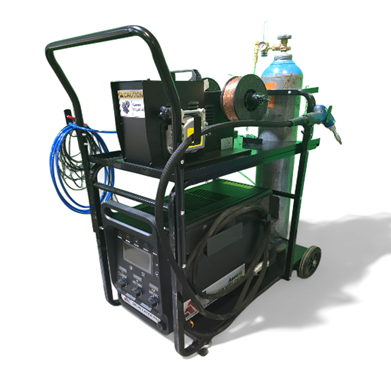
At Ascent, we introduced a 2000W fiber laser welder ($20,000) capable of welding aluminum from 0.030" to 0.27". In less than four hours, we can teach an operator with no prior experience how to weld 0.030" aluminum.
Our laser cooling system features a revolutionary refrigerated heat pump, allowing the laser to operate continuously without interruption, thereby eliminating the need for water or air cooling. The torch, the industry's lightest, Features a dual wire feeder for bridging gaps when needed.
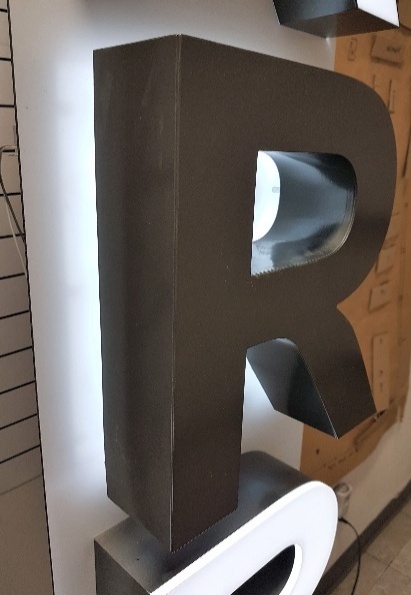
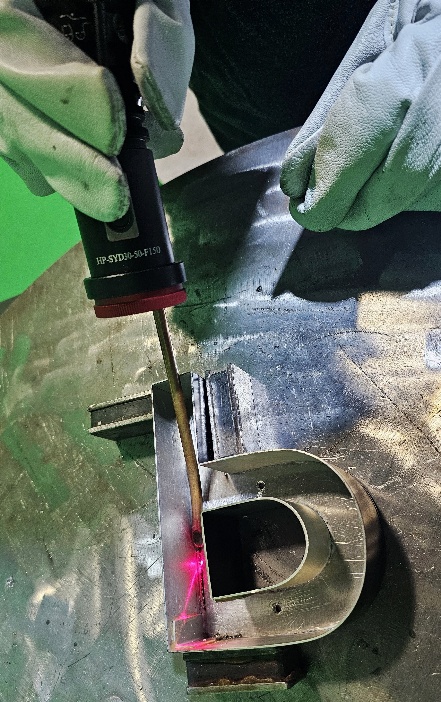
One limitation of the handheld laser welder is its inability to weld small channel letters. To address this, Ascent introduced the
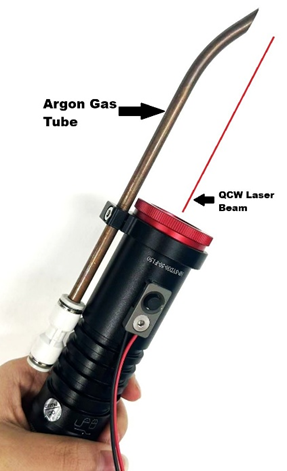
QCW Fiber Handheld Laser ($25,000).
The perfect solution for small to medium channel letters.
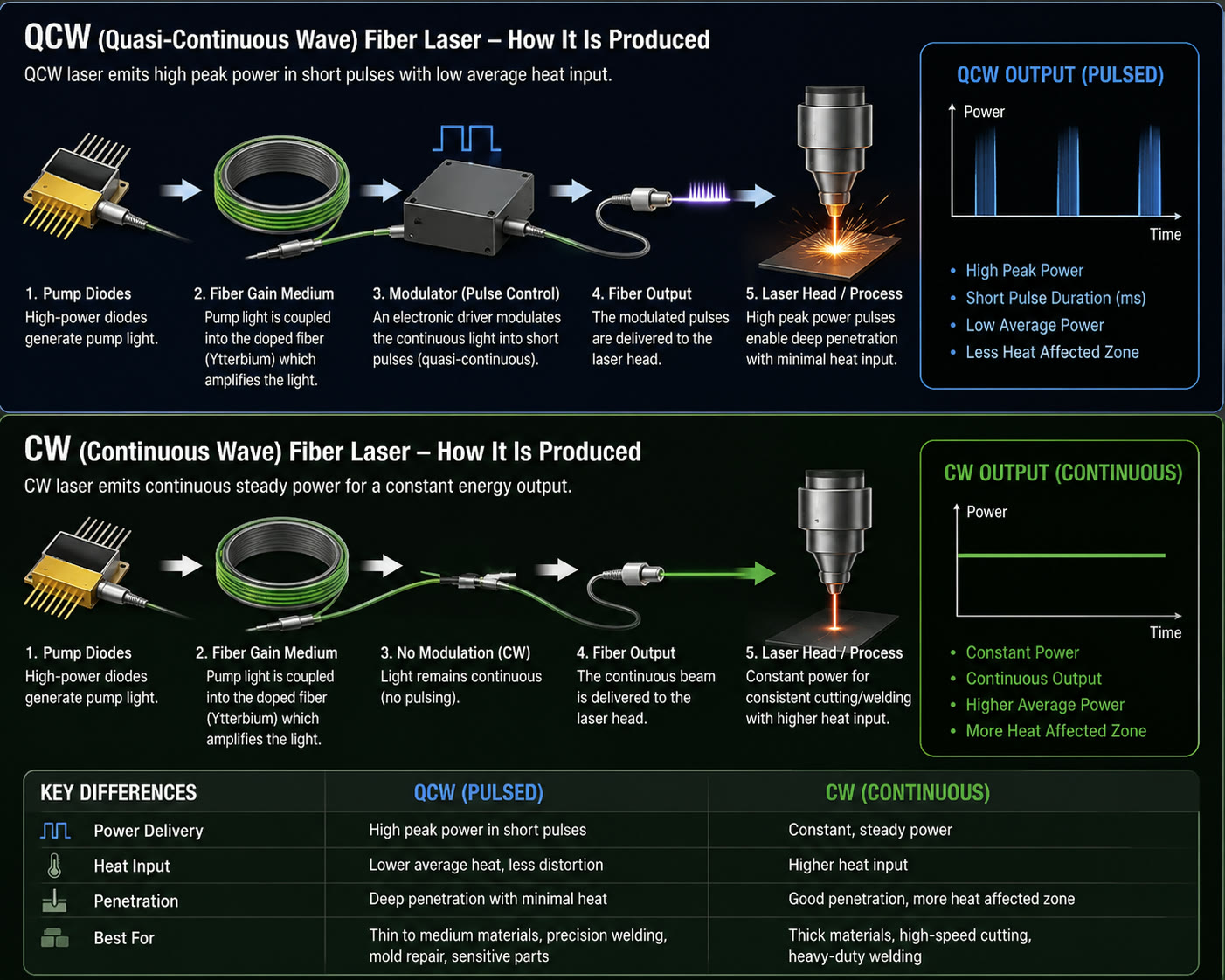
QCW (Quasi-Continuous Wave) laser welding utilizes a high-peak-power laser to weld materials using short pulses. This method offers several advantages, including a minimized heat-affected zone and greater flexibility compared to continuous wave (CW) laser welding.
A QCW laser can operate in both continuous wave and high-peak-power pulse modes,
providing peak power up to ten times the average power.
-
Slide title
-
Slide title
Advantages of
QCW Laser Welding:
- 300W is equivalent to 3000W of other laser types.
- Features a pulse laser beam, ideal for the narrow strokes of channel letters.
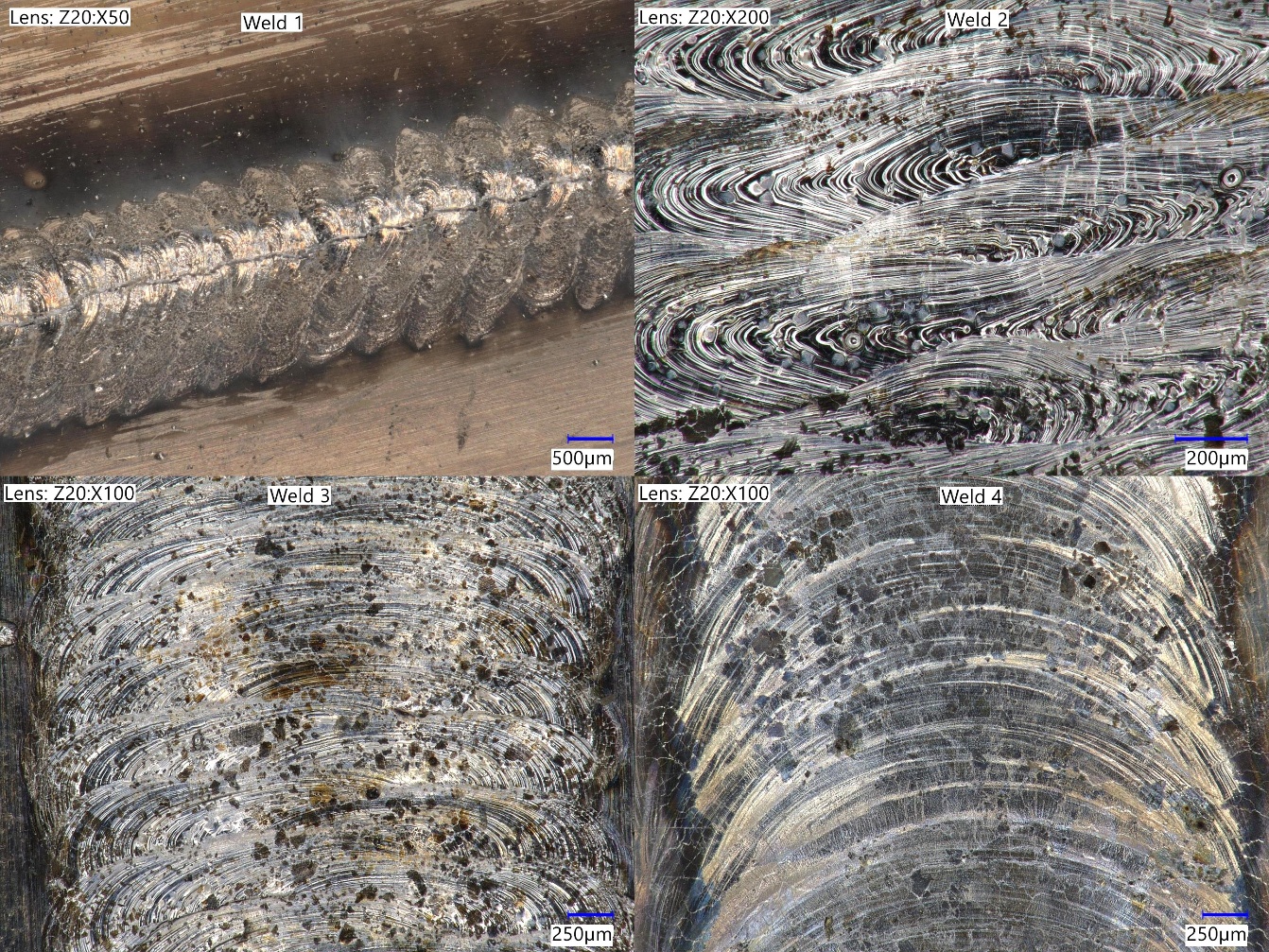
QCW lasers deliver energy in pulses, allowing the material to cool between pulses. This approach reduces thermal input and minimizes the heat-affected zone, making it suitable for thin materials.
The reduced thermal input makes QCW welding ideal for thin materials, where excessive heat can cause distortion or damage. It is effective for aluminum (from 0.020" to 0.063") and stainless steel (up to 0.040") and can also be used with painted coils.
Laser cutters:
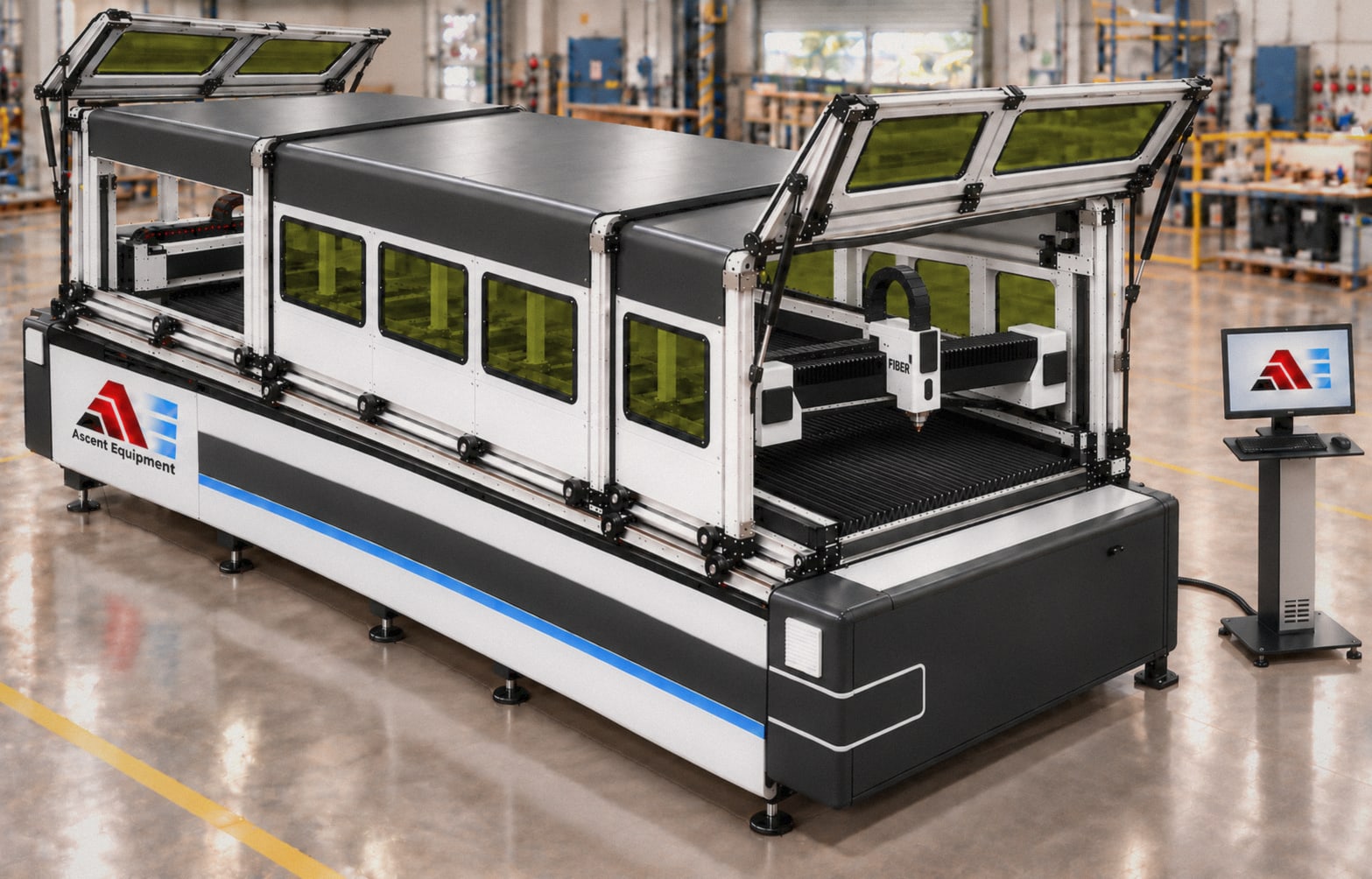
Laser cutters are typically categorized into two types: CO2 laser sources for cutting non-metals and Fiber lasers for cutting metals.
However, most companies cannot afford a fiber laser cutter due to its high cost and the large area required.
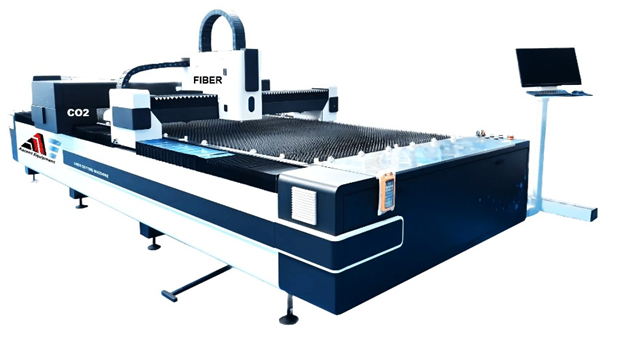
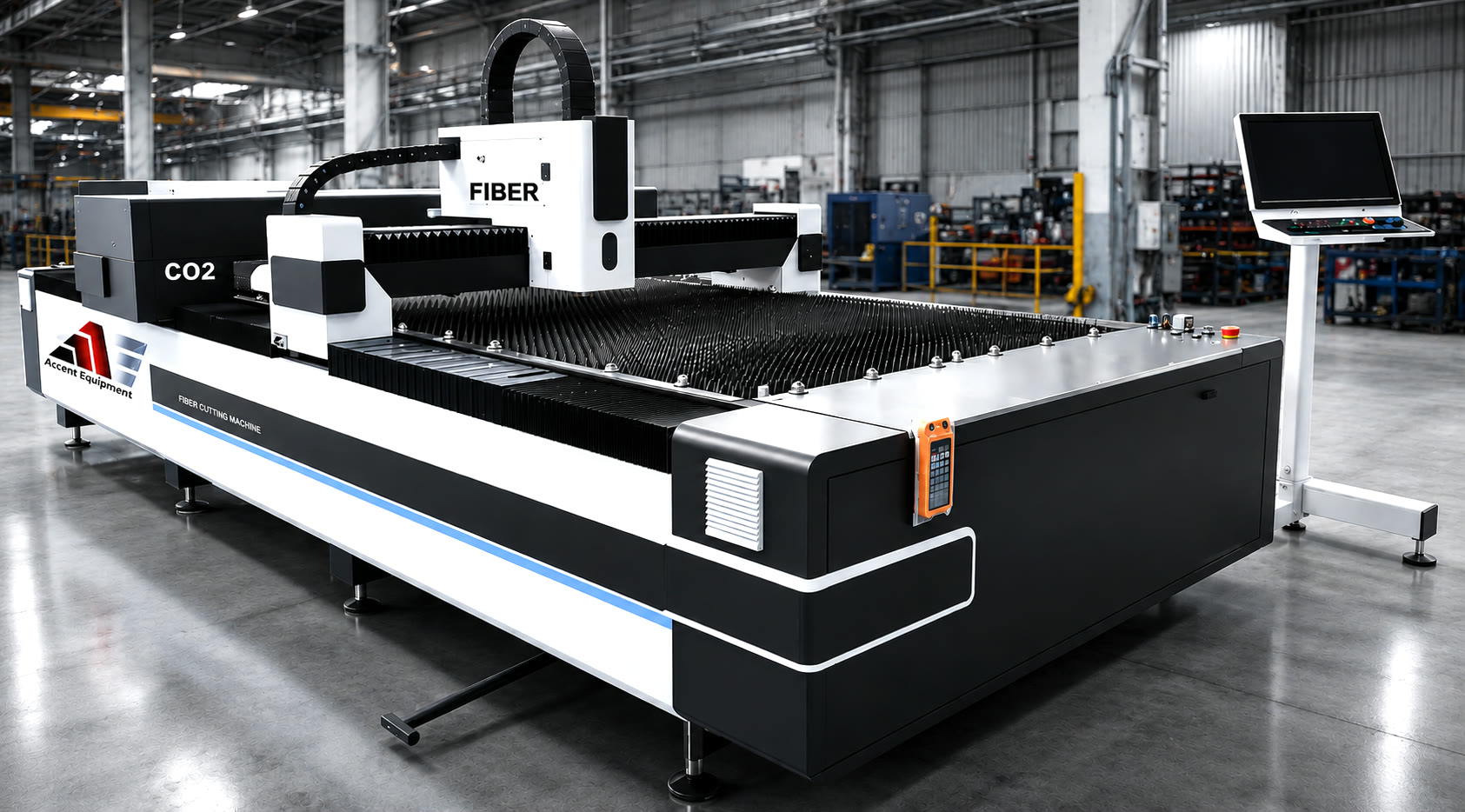
Ascent introduced the Dual Gantry CO2
and Fiber Laser Cutter ($60,000)
- Separate gantries for CO2 and fiber lasers, allowing for the simultaneous processing of two different materials.
- CO2 laser at 500W and fiber laser at 3000W.
- Capable of cutting a diverse range of materials, including metals, acrylic, and wood.
- Working area of 5'x10'.
This revolutionary machine is ideal for sign companies. It can cut a wide range of materials, including acrylic, wood, aluminum, and stainless steel.
There is no need for two different machines, saving real estate space.
Ascent recommends the following:
- Safety goggles (OD 7 or 8 for wavelengths of 1064 nm) and/or a fiber laser welding helmet, which are provided with Ascent machines.
- Wear gloves and protect your arms, neck, and any exposed skin while welding.
- Follow the Laser Safety Standard Operating Procedures (SOP) supplied by Ascent.
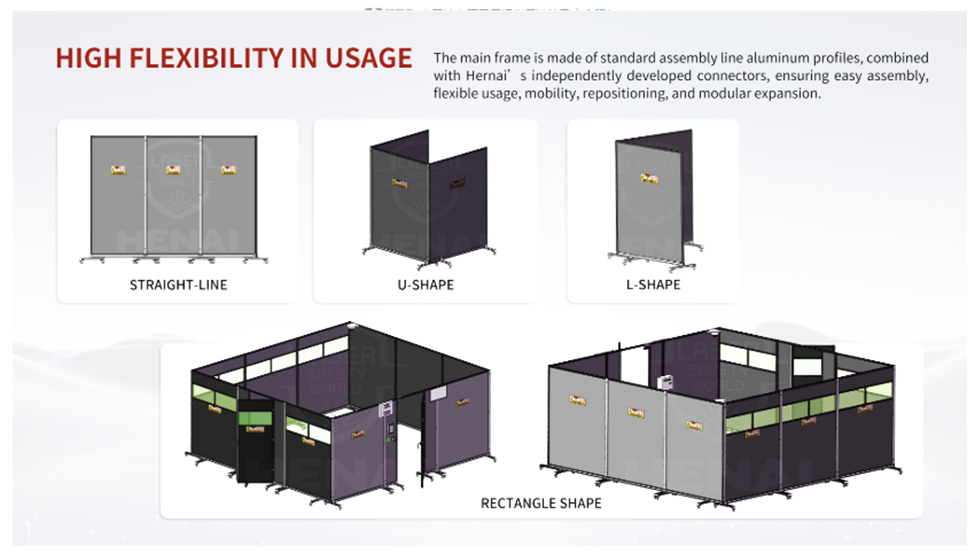
- Ensure the area where the machine is located is enclosed with partitions or solid walls. Special laser partitions can be purchased from Ascent, and the laser cutter can be equipped with optional housing.
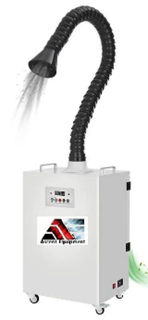
- For managing fumes and dust generated during welding, Ascent recommends using fume extraction systems.
For more information:
Links: https://www.ascentequipment.com/ https://ascentlaserspro.com/
Direct Line: 416-953-8104
Toll-Free:
**Tel: **
Email:
dov@ascentGE.com or drom@rogers.com
"The Art of Channel Letters Through Precision Automation" ™
< Older Post
Newer Post >
Channel Letters Made Easy with a 130W CO₂ Laser
October 15, 2025
Discover how an Acrylic Laser Cutter boosts production and why top CNC laser cutter manufacturers recommend these systems for shops across Canada & USA.
Automation and Efficiency: How CNC Routers Increase Production Output
By Designer Green Lotus • March 6, 2025
How CNC Routers Increase Production Output
Keep Your CNC Router Humming: The Ultimate Maintenance Guide
By Dov Rom • January 17, 2025
How can you keep your CNC router running smoothly with regular maintenance?
Maintenance Tips for Keeping Your CNC Laser Cutter in Top Condition
By Dov Rom • September 23, 2024
CNC laser cutters are essential tools in the sign industry, and they are known for their precision and versatility. Regular maintenance is crucial to ensure these sophisticated machines deliver high-quality results and remain reliable. Proper upkeep extends the lifespan of your CNC laser cutter and enhances its performance and efficiency. From routine cleaning and inspections to mechanical maintenance and software updates, each aspect of care contributes to the smooth operation of your equipment. This blog will explore essential maintenance tips for keeping your CNC laser cutter in top condition. By following these guidelines, you can prevent common issues, reduce downtime, and ensure that your CNC machines for the sign industry consistently meet your high standards. Discover how to keep your equipment running at its best and avoid unexpected disruptions in your production process. 1. Regular Cleaning for Optimal Performance Regular cleaning is essential to ensure your CNC laser cutter operates smoothly. Dust and debris can accumulate in various parts of the machine, affecting its performance and accuracy. Clean the lenses and mirrors frequently to avoid buildup obstructing the laser beam. Use a soft, lint-free cloth and appropriate cleaning solutions to avoid damaging sensitive components. The air filters should also be checked, cleaned, or replaced to prevent contamination from affecting the machine's efficiency. By maintaining a clean environment, you can enhance the longevity and precision of your CNC laser cutter. 2. Routine Inspections and Calibration Routine inspections are vital to identifying potential issues before they become significant problems. Regularly check the alignment of your CNC laser cutter to ensure that it is correctly positioned and calibrated. This involves examining the beam path, focusing lenses, and the alignment of the laser head. Ensure that all moving parts function correctly and that there are no signs of wear or damage. Proper calibration ensures that your CNC machines for the sign industry produce accurate cuts and designs. Following the manufacturer's guidelines for inspection and calibration will help you maintain top performance. 3. Lubrication and Mechanical Maintenance Proper lubrication is vital for smoothly operating your CNC laser cutter's moving parts. Regularly lubricate the rails, screws, and bearings to minimize friction and wear. Over time, mechanical components can degrade, affecting the machine's overall performance. Check for loose or worn parts and tighten or replace them as necessary. Keeping up with these mechanical maintenance tasks will help you avoid unexpected breakdowns and ensure that your CNC laser cutter continues to operate efficiently. Consistent lubrication and upkeep will extend the lifespan of your equipment and maintain its reliability. 4. Software Updates and System Checks The software running your CNC laser cutter plays a crucial role. Regularly update the software to ensure you have the latest features and bug fixes. Check for firmware updates from your CNC laser cutter manufacturer to keep the machine's control system running smoothly. System checks should also include reviewing error logs and addressing any issues that may arise. By staying current with software updates and performing regular system checks, you can optimize the performance of your CNC laser cutter and prevent software-related issues from impacting your productivity. 5. Professional Servicing and Support While routine maintenance can be performed in-house, professional servicing is essential for keeping your CNC laser cutter in top condition. Schedule regular check-ups with a qualified technician who can perform more in-depth inspections and repairs. These professionals have the expertise to address complex issues that may be absent during routine maintenance. Choosing a reputable CNC laser cutter manufacturer for service and support ensures you receive high-quality care and advice. Investing in professional servicing will help you maintain the reliability and performance of your CNC laser cutter over the long term. Maintaining your CNC laser cutter is essential for ensuring its longevity and efficiency. You can keep your CNC machine operating at its best by following these maintenance tips—cleaning regularly, performing routine inspections, keeping up with lubrication, updating software, and seeking professional support. Regular care enhances performance and helps prevent costly repairs and downtime, keeping your business running smoothly.
How to Choose the Right Acrylic CO2 Laser Cutting Machine for Your Business
By Dov Rom • August 8, 2024
Choosing a suitable acrylic CO2 laser cutter / cutting machine is essential for maximizing production efficiency. At Ascent Equipment, we offer machines that may enhance your cutting accuracy and overall performance. With the right choice, you can expect improvements in both quality and cost-effectiveness, potentially leading to more streamlined operations. T The appropriate machine should align with your specific needs, helping to ensure better results and reduced operational costs. Explore our range of machines to find the best fit for your business and see how it can benefit your production processes. 1. Understand Your Business Needs When choosing an acrylic CO2 laser cutting machine , assess your cutting requirements. Consider the types of acrylic materials you plan to cut, as different materials may need varying levels of precision and power. Evaluate the thickness and size of the acrylic sheets you will work with, as this impacts the machine's specifications. Next, think about your production volume. Determine whether you need a machine for occasional use or high-volume production. The right machine should align with your specific needs, helping you effectively manage your material types and production demands. 2. Key Machine Specifications When selecting an acrylic CO2 laser cutting machine, consider the laser power. Different power levels can affect cutting speed and the thickness of materials. Higher power may enable faster cuts and handle thicker acrylic sheets, while lower power might be sufficient for thinner materials and slower speeds. Additionally, the cutting area size should match your project needs. Ensure the machine can accommodate the dimensions of your acrylic sheets. Finally, consider the machine's speed and precision. High speed and accuracy can contribute to better results and more efficient production, helping you effectively meet your quality standards. 3. Types of Acrylic CO2 Laser Cutting Machines When selecting an acrylic CO2 laser cutting machine, consider the available types. Entry-level machines often offer basic features suitable for small projects or personal use. They may be ideal if you are starting out or have modest needs. Mid-range machines balance performance and cost, making them suitable for small—to medium-sized businesses. They can handle a variety of tasks efficiently. High-end machines offer advanced features for large-scale operations and high precision. These machines can manage complex cuts and larger volumes, meeting the demands of more extensive production setups. 4. Additional Features to Consider When choosing an acrylic CO2 laser cutting machine, consider several important features. Cooling systems are essential for maintaining consistent machine performance and extending its lifespan. They help manage heat generated during cutting, impacting efficiency and longevity. Software compatibility is another crucial aspect; compatible software ensures seamless design and control, allowing you to execute precise cuts effectively. Automation and additional attachments can enhance productivity by offering options for automated loading and unloading and various tools for versatile cutting tasks. These features can help streamline your operations and improve overall efficiency. 5. Budget Considerations Consider initial and ongoing costs when investing in an acrylic CO2 laser cutting machine. Initial investment varies widely depending on the type and size of the machine. Entry-level models may be more affordable, while advanced machines with larger cutting areas and higher power can be more expensive. Ongoing costs include maintenance, essential for keeping the machine in good working condition. Additionally, you may incur operating costs related to materials and energy. Potential upgrades could also affect long-term expenses. Balancing these factors can help you decide on your business needs. When choosing an acrylic CO2 laser cutting machine , it's essential to consider several factors. Evaluate the machine's power, cutting area size, and features to match your needs. Consider the initial investment and ongoing costs, such as maintenance and potential upgrades. By carefully assessing these aspects, you can find a machine that aligns with your business goals and improves efficiency. For a well-informed decision, we encourage you to contact experts or request quotes from Ascent Equipment. Our team can provide guidance tailored to your requirements, helping you make the best choice for your operations.
How to Choose the Best CNC Router Tables & Machines
By Dov Rom • June 25, 2024
CNC routers are pivotal in modern manufacturing, providing precision and efficiency in creating complex designs. This blog aims to guide readers in selecting the best CNC router tables and machines for their needs. Understanding CNC Routers A CNC router is a computer-controlled cutting machine for wood, composites, aluminum, and plastics. It is integral in industries like woodworking, metalworking, and plastics fabrication. CNC router machines offer high accuracy, repeatability, and the ability to produce intricate designs, enhancing productivity and reducing human error. By understanding the applications and advantages of CNC routers, businesses can make informed decisions and ensure they invest in equipment that meets their specific requirements. Key Factors to Consider When choosing a CNC router, consider material compatibility first. Identify the materials you plan to work with, such as wood, metal, or plastic. Some CNC router machines specialize in specific materials, so ensure your choice aligns with your projects. Size and workspace are also critical. Look at the table size and overall machine dimensions to ensure they fit your available work area. Larger projects require more extensive tables; more extensive ones also need more space. Assess your workspace requirements to avoid any constraints. Precision and accuracy are vital, especially for detailed projects. High precision ensures clean cuts and smooth finishes. Check the machine's tolerance levels to see if they meet your standards. The lower the tolerance, the higher the accuracy. Software compatibility is another critical factor. The CNC router's software must be user-friendly and compatible with your operating system. Look for machines with robust software support and easy integration with design programs. User-friendliness ensures smoother operation and reduces the learning curve, allowing you to get started quickly. The price range for different types of CNC routers When selecting a CNC router, price range is a crucial factor. Entry-level CNC routers can cost a few thousand dollars, while industrial-grade models can cost tens of thousands. It's essential to balance cost with value. Investing in a higher-quality machine may have a higher upfront cost but can save money in the long run due to durability, fewer repairs, and better performance. Consider the additional features that can enhance your CNC router experience. Look for features like dust collection systems, automatic tool changers, and advanced safety features. These can improve efficiency and safety, making your work environment cleaner and more productive. Ascent Equipment offers a range of CNC routers that combine quality with value. Their machines are designed to meet various needs, from small businesses to large industrial applications. They offer excellent support and user-friendly software, ensuring you get the most out of your investment. With Ascent Equipment, you can find a CNC router that fits your budget without compromising quality. Considering these factors will help you choose the best CNC router, balancing cost, features, and long-term value to enhance productivity and project quality.
Experience The Benefits of The Ascent Profiles System
February 23, 2024
Experience The Benefits of The Ascent Profiles System
Choosing the Right Automatic Channel Letter Bending Machine for Your Signage Business
December 28, 2023
Choosing the Right Automatic Channel Letter Bending Machine for Your Signage Business. Its not hard. See how we can help you—locations in New York and Toronto.
Why you should purchase Ascent special type filament for channel letter 3D printing
May 12, 2022
Learn more about Differences between the standard filament and special channel letter filament with Ascent Equipment!
Automation in the Sign Industry (from the perspective of an automation engineer)
September 7, 2021
Ascent Equipment entered the sign industry ten years ago with a focus on channel letter manufacturing. We develop CNC channel letter bending machines and etc.
Let Ascent Experts Assemble All the Pieces of The Equipment Puzzle for your Company
CONTACT US
Let's talk!
Have a question or comment?
Let us know.
Contact info
Direct line:
416-953-8104
Toll-free:
1-800-927-5107 Extension 1008
Tel:
647-494-7800 Extension 1008
Para personas que hablan español, por favor llame a la extensión 1006.
Buffalo, New York and Toronto, Ontario