
Keep Your CNC Router Humming: The Ultimate Maintenance Guide
How can you keep your CNC router running smoothly with regular maintenance?
Think of your CNC router machine as a high-performance car. You wouldn't skip oil changes or neglect your tires. Well, your CNC machine needs some TLC if you want it to perform at its best for years to come. A well-maintained router means smoother cuts, longer lifespan, and fewer headaches down the road.
Why is Maintenance So Important?
A CNC router is built for production, but dust, loose fasteners, worn tooling, and small alignment changes still add up. A little preventive work protects accuracy and keeps a minor issue from wasting a sheet of material in the middle of a job.
The Everyday Essentials
Let's start with the basics. These are things you should be doing regularly, even if your machine seems to be running fine.
- Keep it Clean: Dust, debris, and chips are the enemy! Make it a habit to clean your machine after every use. Use a vacuum or compressed air to remove any build-up from the rails, lead screws, and the cutting area. Pro tip: a small brush can help you get into those hard-to-reach spots.
- Lubrication is Key: Just like the moving parts in your car need oil, your CNC router needs lubrication to run smoothly. Consult your machine's manual for the recommended type of lubricant and the lubrication points. Don't over-lubricate, as this can attract more dust and debris.
- Check Your Belts: Belts can stretch or become worn over time. Regularly inspect them for any signs of damage, fraying, or looseness. Replacing a belt is a much simpler (and cheaper!) fix than dealing with a broken one mid-project.
Going Deeper: A Closer Look at Specific Components
Now that we've covered the basics, let's dive a little deeper into some specific components that require attention.
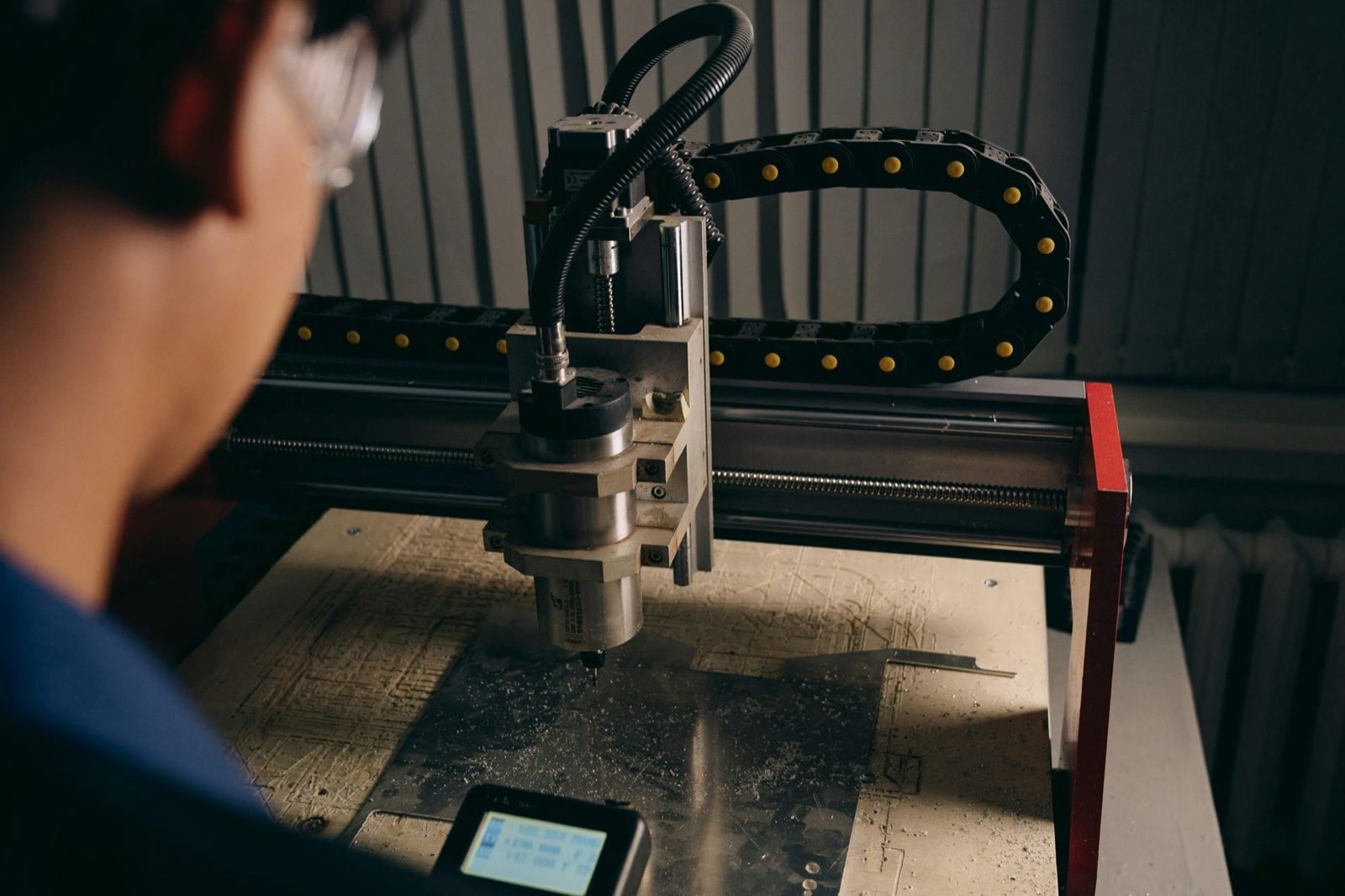
- Spindle Care: Your spindle is the heart of your CNC router. Keep an eye (and ear!) out for any unusual noises or vibrations. Ensure the collet is clean and properly tightened to prevent damage to both the collet and your bits. Did you know that even the temperature of your spindle can affect its performance? Avoid overheating by running it within its recommended operating range.
- Linear Guides and Bearings: These guys ensure smooth and precise movement. Keep them clean and lubricated to prevent friction and wear. Periodically check for any signs of damage or play. A little preventative maintenance here goes a long way!
- Rack and Pinion System: This system controls the X and Y axes. Keep the rack and pinion clean and lubricated, and check for signs of wear or damage to the teeth.
Software and Control System Upkeep
Don't forget about the brains of your operation!
- Software Updates: Keep your CNC router table control software and any design software you use up-to-date. Updates often include bug fixes, performance improvements, and even new features.
- Back Up Your Data: Keep a current copy of design files and machine settings somewhere other than the control computer. A failed drive should not take your production files with it.
Troubleshooting Like a Pro
Even with the best care, things can sometimes go wrong. Here are a few common issues and how to troubleshoot them:
- Lost Steps: This can happen if your motors lose their position. Check your belts for slippage, make sure your connections are secure, and ensure your machine is properly grounded.
- Inaccurate Cuts: This could be caused by a dull bit, a misaligned machine, or even incorrect software settings. Start by checking the simple things, like your bit and settings.
- Excessive Vibration: This could indicate a problem with your spindle, loose components, or even an unbalanced tool. Inspect your spindle for any signs of damage, tighten any loose screws or bolts, and make sure your tools are correctly balanced.
Preventative Maintenance Schedule
To make things easier, consider creating a preventative maintenance schedule. This could include:
- Daily: Clean the machine and check for any obvious damage.
- Weekly: Lubricating the rails and bearings, inspecting belts.
- Monthly: Check spindle health and clean the control panel.
- Quarterly: More thorough inspection of all components, including the rack and pinion system.
- Annually: Professional inspection and service by a qualified technician.
Don't Forget the Manuals!
Nobody likes reading manuals, but they're a goldmine of information! Your CNC router's manual will have specific maintenance recommendations and troubleshooting tips tailored to your machine.
Following these maintenance tips and staying proactive can keep your CNC router running smoothly and extend its lifespan. Remember, a little care goes a long way!